

How Much Energy Does a USDT Transfer Actually Need?
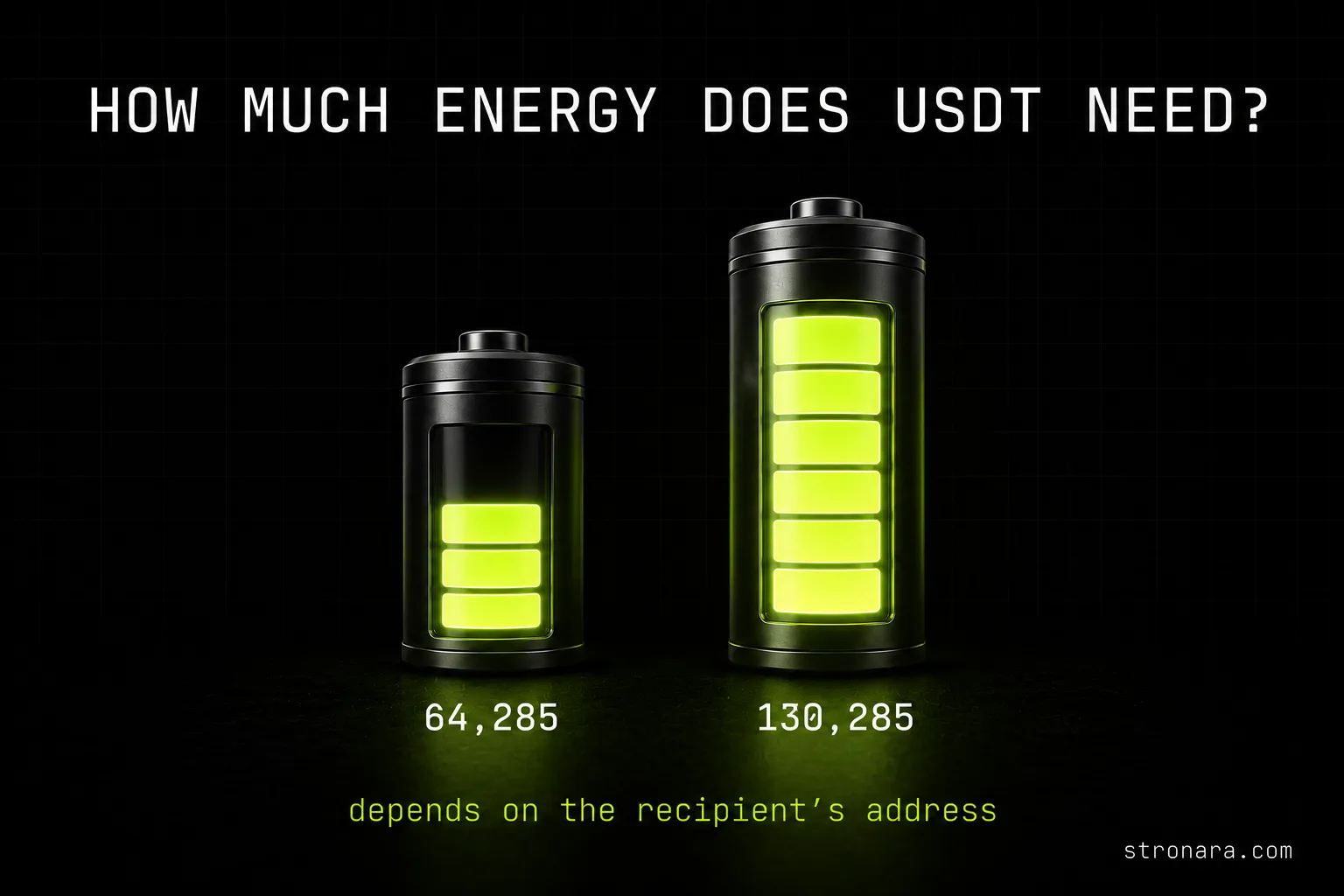
If you send USDT on TRON, the energy cost is not a fixed number. It depends entirely on the recipient address. A USDT transfer to an address that already holds USDT burns 64,285 energy — that works out to 6.43 TRX, or roughly $2.15 at the current TRX price of $0.3344. Send to a fresh address that never held USDT, and the same transfer consumes 130,285 energy — 13.03 TRX, about $4.36.
These numbers are measured live from real on-chain USDT transfers. The difference is almost exactly double. Understanding which case applies to your recipient is the key to knowing how much energy your USDT transfer needs.
The Two Possible Energy Amounts Depend on Recipient History
Every transfer falls into one of two categories. An active address with an existing USDT balance requires 64,285 energy. A brand‑new address with no USDT record requires 130,285 energy. The network burns TRX at 100 SUN per energy unit to cover any shortfall, so the actual TRX cost is directly proportional to the energy consumed.
Why the Energy Cost Doubles for a First-Time Recipient
The USDT contract runs on the TRON network, and every address that holds a token balance has that balance stored in the contract's state. When you send USDT to an address that already has a balance, the contract simply updates the existing record. That update costs 64,285 energy — a standard write operation.
When the recipient has never interacted with the USDT contract, there is no record to update. The contract must create a new storage entry for that address and initialize its balance. This additional write operation roughly doubles the work, hence the 130,285 energy cost. That's why the requirement commonly quoted for first-time recipients is 131,000 energy (rounded from 130,285).
The extra energy is not a fee charged by the network — it is the actual computational resource consumed by the contract. Every TRON account gets a small free daily bandwidth allowance, but there is no free energy allowance — energy comes only from staking TRX or renting. If you want a deeper breakdown of how energy and bandwidth differ, our guide on TRON Energy vs Bandwidth: What Each Resource Pays For explains the two resources in detail.
Why the Contract Needs to Initialize Storage
When an address receives USDT for the first time, the TRC‑20 contract allocates space in its state database. This allocation is a one‑time cost. After that first transfer, every subsequent send to the same address only modifies the existing entry. That is why the energy requirement drops permanently after the initial transaction.
How to Check a Recipient Address Before You Send
You don't have to guess. Before sending USDT, you can verify the recipient's status. The easiest way is to look up the address on Tronscan. Paste the address into the search bar and check whether it holds any USDT balance. If it does, you are in the 64,285 energy case. If the token balance shows zero and the address has no USDT transaction history, you should expect the higher amount.
Our site also provides a free address checker built into the calculator page. Paste the recipient address there and it queries the TRON network directly. The tool tells you whether a transfer to that address needs 65,000 or 131,000 energy — no guesswork required. For a dedicated tool, use our TRON Address Checker that shows the exact energy needed for a USDT transfer to any address.
Tronscan Provides All the Information You Need
On Tronscan, the token holdings tab shows the USDT balance instantly. You can also check the transaction history tab to confirm the address has ever interacted with the USDT contract. If both are empty, the address is fresh and you need the higher energy amount.
The Most Common Mistake: Ordering 65,000 Energy for a Fresh Address
A frequent error is renting or staking only 65,000 energy for a transfer to a new address. The transaction does not fail. Instead, the network sees you have only 65,000 energy, but the contract actually requires 130,285. The difference — 65,285 energy — is made up by burning TRX from your balance. The network charges the current energy fee, which is 100 SUN per unit. So you pay the rental cost for 65,000 energy and the burn cost for the shortfall.
The result: you pay for both, ending up with a total that often exceeds simply renting the full 130,285 energy in the first place. This is also the scenario behind the "OUT OF ENERGY" error: if your wallet's fee limit or TRX balance cannot cover the shortfall, the transaction can genuinely fail. With enough TRX it succeeds — by silently burning the difference from your balance.
To avoid this, always confirm the recipient's history before ordering energy. If you are using a rental service that offers 65,000 energy as a standard package, make sure the address is already active. If you do run into a failed transfer, our guide on Tron Out of Energy: Fix Your Failed USDT Transfer Now walks through the recovery steps.
The Financial Penalty of Ordering Too Little Energy
Renting 65,000 energy when you need 130,285 means you burn roughly 6.53 TRX for the shortfall on top of the rental cost. The rental itself costs around 1.72 TRX (at the cheapest rate measured on 2026‑08‑27), so your total becomes about 8.25 TRX — far more than the 3.48 TRX you would have paid by renting the full amount. The mistake effectively doubles the expense.
Edge Cases You Might Encounter
Sending to yourself. If you send USDT from one of your addresses to another address you control, check whether that second address already holds USDT. If it does, you only need 64,285 energy. If it is a fresh address, you need the higher amount.
Exchange deposit addresses. Most exchange deposit addresses are already active because they are reused for many users. The exchange typically holds USDT in that address, so a transfer to it will almost always require the lower 64,285 energy. Still, it is worth checking once on Tronscan if you are unsure.
Fresh cold wallets or new addresses. Any address that has never interacted with the USDT contract — for example, a newly generated wallet — will require the higher 130,285 energy. Plan accordingly if you are sending USDT to a new hardware wallet or a fresh account.
Quick Checklist Before Sending
- Identify the recipient address. Do not rely on memory or a copied address from a previous transaction — verify the address you have.
- Check its USDT history. Use Tronscan or the address checker on our calculator page to determine whether the address already holds USDT.
- Choose the correct energy amount. If the address is active, 65,000 energy (actual need: 64,285) is sufficient. For a first-time recipient, you need at least 131,000 energy (actual need: 130,285).
- Decide whether to rent or stake. Renting energy saves TRX compared to burning it. Today's cheapest measured rental is Stronara at 26.69 SUN per energy unit, which costs 1.72 TRX for a 65,000 transfer — a saving of about 73% versus burning 6.43 TRX. Rental prices vary between services and change over time; these are dated measurements taken on 2026‑08‑27, not promises. Always check current rates. You can rent TRON energy directly on our main page to cover the exact amount your transfer needs.
- Set a small TRX buffer. Even if you rent the correct energy, the network may charge a tiny amount in bandwidth or a network fee. Keeping a small TRX balance in your wallet ensures the transaction goes through smoothly.
How Energy Rental Compares to Staking
Renting energy costs a fraction of the burned TRX, and you do not need to lock up TRX for days. For a detailed cost comparison across all methods, read our article on the USDT TRC-20 Transfer Fee in 2026: Actual Cost & Savings. The savings are significant when you choose the right approach for your recipient.
By verifying the recipient address in advance, you avoid paying double — once for rented energy and once for the burn penalty. The extra minute it takes to check can save you several TRX.