
How to Read Tronscan Transaction: The Fields That Matter
Learning how to read tronscan transaction pages comes down to a handful of fields that tell you exactly what your USDT transfer cost and why. Every fee on TRON is visible on the blockchain, and Tronscan is the public window into it. Once you know which numbers to look at, you can verify any fee claim yourself in under a minute.
The Header Summary
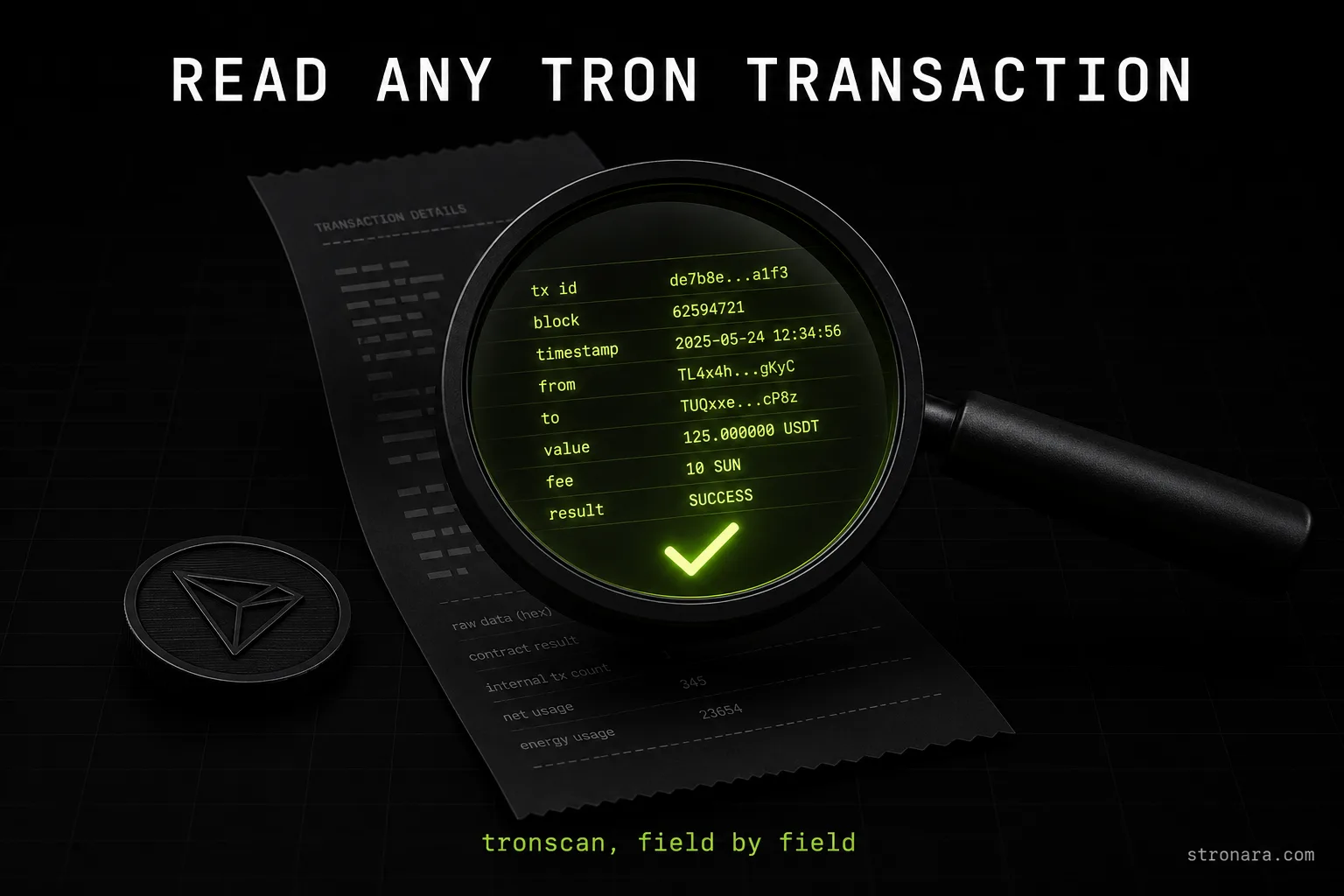
The top of a Tronscan transaction page shows a compact summary: the transaction hash, the sender and receiver addresses, the token transferred, and the amount. For a USDT TRC-20 transfer, the amount shown here is what the recipient actually receives. The header also displays the timestamp and the block height, which lets you confirm when the transfer landed on-chain.
Key Fields for USDT Transfers
Below the summary, the page splits into sections. The fields that matter for verifying a USDT fee are the contract result, the energy usage total, the energy fee, and the net fee. The contract result tells you whether the transfer succeeded. The energy fields tell you how much network resources the transfer consumed and whether TRX was burned to cover them.
Transaction Status: SUCCESS vs OUT_OF_ENERGY
The contract result is the first thing to check on any transaction page. It appears near the top of the contract section and tells you whether the transfer completed. For USDT transfers, the two statuses you will see are:
- SUCCESS — the transfer executed and the recipient received the USDT.
- OUT_OF_ENERGY — the transfer failed because the sender had no energy and not enough TRX to cover the burn.
- REVERT — the contract rejected the transfer, often due to a bad recipient address or a blacklisted account.
- FAILED — a generic failure that can come from a variety of contract-level errors.
An OUT_OF_ENERGY result is the most common failure for USDT transfers. It means the wallet had no delegated energy and the network stopped the transfer rather than burning TRX at the current rate. If you see this status, the fix is to add energy to the sending address before retrying — a process we cover in our guide on what to do when a USDT transfer runs out of energy.
Energy Usage and Energy Fee: What Tronscan Shows
The energy section is where tronscan energy used becomes visible. Two numbers matter: the energy usage total and the energy fee. The usage total is how much energy the transfer consumed. The energy fee is the TRX the network burned when the sender lacked delegated energy.
| Field | What it shows | USDT to active address | USDT to fresh address |
|---|---|---|---|
| Energy usage total | Energy units consumed | 64,285 | 130,285 |
| Energy fee (TRX burned) | TRX taken from wallet at 100 SUN per unit | 6.43 TRX (≈ $2.11) | 13.03 TRX (≈ $4.27) |
| Net fee | Bandwidth fee, usually zero for USDT | 0 TRX | 0 TRX |
These are live measurements taken on 2026-08-01. The energy amounts themselves are network parameters set by governance vote, so they change only when the network votes to change them. The dollar values move with the TRX price, which was $0.3278 on the measurement date.
Energy Usage Total
The energy usage total sits in the contract section of the transaction page. For a USDT transfer to an address that already holds USDT, the number is 64,285. For a fresh address that never held USDT, it is 130,285. The difference comes from the activation cost of a new address. You can see the full breakdown of why these two numbers exist in our guide on how much energy a USDT transfer needs.
Energy Fee in TRX
The energy fee field shows the TRX burned. The network takes 100 SUN per energy unit when the sender has no delegated energy. So a 64,285 energy transfer burns 6.43 TRX, and a 130,285 energy transfer burns 13.03 TRX. If this field shows zero, the transfer used delegated energy and no TRX was burned. If it shows a positive number, the wallet paid the full price.
Net Fee and Bandwidth
The net fee field covers bandwidth. USDT transfers consume almost no bandwidth because the token contract handles the accounting. For most USDT transfers, the net fee reads 0 TRX. When it is positive, it means the sender lacked both energy and bandwidth, and the network burned TRX for both resources. The bandwidth burn rate is 1000 SUN per byte.
How to Check If Your Transfer Burned TRX or Used Rented Energy
The energy fee field is the single most reliable indicator. Here is the checklist:
- Open the transaction on Tronscan using the transaction hash.
- Scroll to the contract section and find the energy fee field.
- If the energy fee shows a positive TRX amount, the transfer burned TRX to cover the energy.
- If the energy fee shows 0 TRX, the transfer used delegated energy and burned nothing.
- Cross-check the energy usage total — it should match 64,285 or 130,285 for a standard USDT transfer.
- Compare the burned amount against the network rate of 100 SUN per energy unit.
This method works for any transfer, from any wallet, using any provider. The blockchain does not hide fees — it records them in plain sight. Understanding this fee structure is the core of the question why TRX gas fees can be so high when you send without energy.
Verifying Rented Energy: The DelegateResource Transaction
When you rent energy, the provider sends a separate DelegateResource transaction to your address. This transaction is not part of your USDT transfer — it is a distinct on-chain operation that assigns energy to your wallet. To confirm you received the rented energy:
- Open your address page on Tronscan and look at the transaction list.
- Find a DelegateResource transaction from the provider's address to yours.
- Check the amount delegated — it should cover the energy your transfer needs.
- Verify the timestamp — the delegation should be active when you send the USDT.
- Confirm the energy balance on your address page shows the delegated amount.
The DelegateResource transaction is your proof that rented energy arrived. Without it, your transfer will burn TRX. With it, the energy fee on your transfer reads zero. This is how you verify USDT fee tronscan records against what a provider promised.
Why Reading Tronscan Protects You From Hidden Fees
Every fee claim on the TRON network is checkable. The public fields on Tronscan — energy usage, energy fee, net fee, contract result — are the same data any comparison tool reads. When you know how to read them, no provider can charge you for something the blockchain shows was free.
Verify Provider Claims
Any energy provider's claim about savings is testable against the network's own numbers. The network burns 100 SUN per energy unit when you send without energy. A rental that covers the same transfer eliminates that burn. Our live comparison of TRON energy providers is built entirely on these public fields, and you can verify every number we publish by opening the same transactions on Tronscan.
Avoid Overpaying
The difference between burning and renting is large. On 2026-08-01, a 64,285 energy transfer burned 6.43 TRX without rental. The cheapest measured rental that day was 1.78 TRX for the same transfer — a saving of about 72%. But rental prices move during the day, and today's Stronara price is on the main page. The network burn rate is a constant; the rental market is not.
Cross-Check Any Fee With These Public Fields
Now that you know how to read tronscan transaction pages, you can verify any fee on the network in about a minute. Open the transaction, check the contract result, read the energy usage total, and look at the energy fee. If the energy fee is positive, TRX was burned. If it is zero, delegated energy covered the cost. The fields are public, the numbers are exact, and the method never changes.
This skill also helps you understand TRON transaction costs before you send. A quick check of whether your address has delegated energy tells you whether your next transfer will burn TRX or not. For a fuller picture of what each resource pays for, read our breakdown of TRON energy versus bandwidth. And if you are weighing whether to rent at all, our guide on the actual USDT TRC-20 transfer fee shows the real cost difference with dated measurements.
The bottom line: Tronscan is not a mystery. Every field has a meaning, every fee has a source, and every claim — including ours — is verifiable on-chain.